Question
When trying to license the software on a client machine, I get the message:
All licenses in use (-22)
What is the issue?
Solution
Sometimes, when a user has finished with the software, the connection between the license server and the client is closed in such a way that the license server does not automatically take back the license. The next time someone tries to check out a license, this is then unavailable for use and that can lead to a -22 error being displayed.
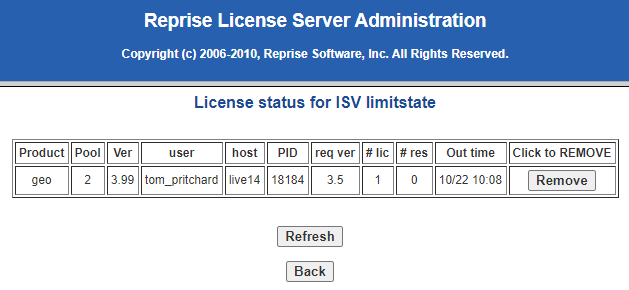
To fix the issue, it is possible to manually take back the license by:
- Going to the license server web interface on the server (localhost:5054)
- Clicking Status > License Usage > GET License Usage
- Click the Remove button for the license(s) that you want to return to the server
See Also
This article explains how to set a timeout on the license server, to take back licenses from inactive client machines: Q: Can I set a timeout on network licenses?